


The entire exhibition stand in 3D.
The exhibition stand as an interactive 3D model in the browser: rotate, zoom and check it from every angle, on notebook, iPad and smartphone. What gets shared is a protected link, not a file. Coordination and sign-off get easier, long before the build.
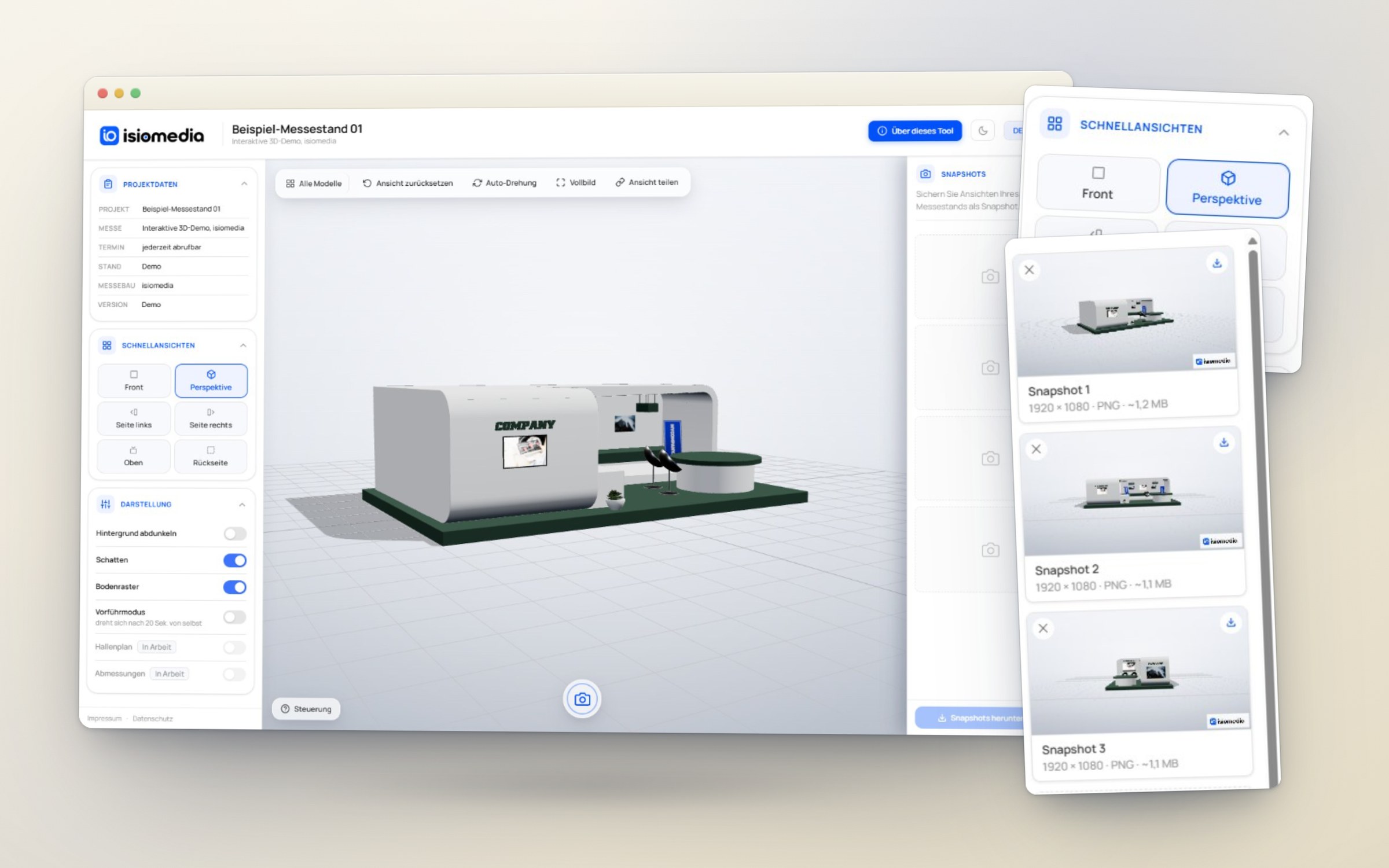
What the viewer does
The stand's 3D model, opened with a link.
Until now the stand's 3D model stayed on the planner's computer; what got shared were PDFs and screenshots. The viewer brings the model itself to everyone involved: as a protected link in the browser, on iPad, notebook and smartphone, in a meeting as well as right at the stand.
One link is enough
The customer opens the stand in 3D, with no software, no account and no explanation. Open, view, done.
On every device
Runs on Windows, macOS, iOS and Android. Optimised for notebook and tablet, usable on the phone as well.
Protected and GDPR-compliant
Password-protected instead of public: no open link, no external services, no data passed on.
In your colours
The viewer carries your logo and your company colours. Bilingual (DE/EN), further languages can be added at any time.
What it looks like
Four views from the running demo. Click through, every image can be enlarged. Best of all, try it directly:
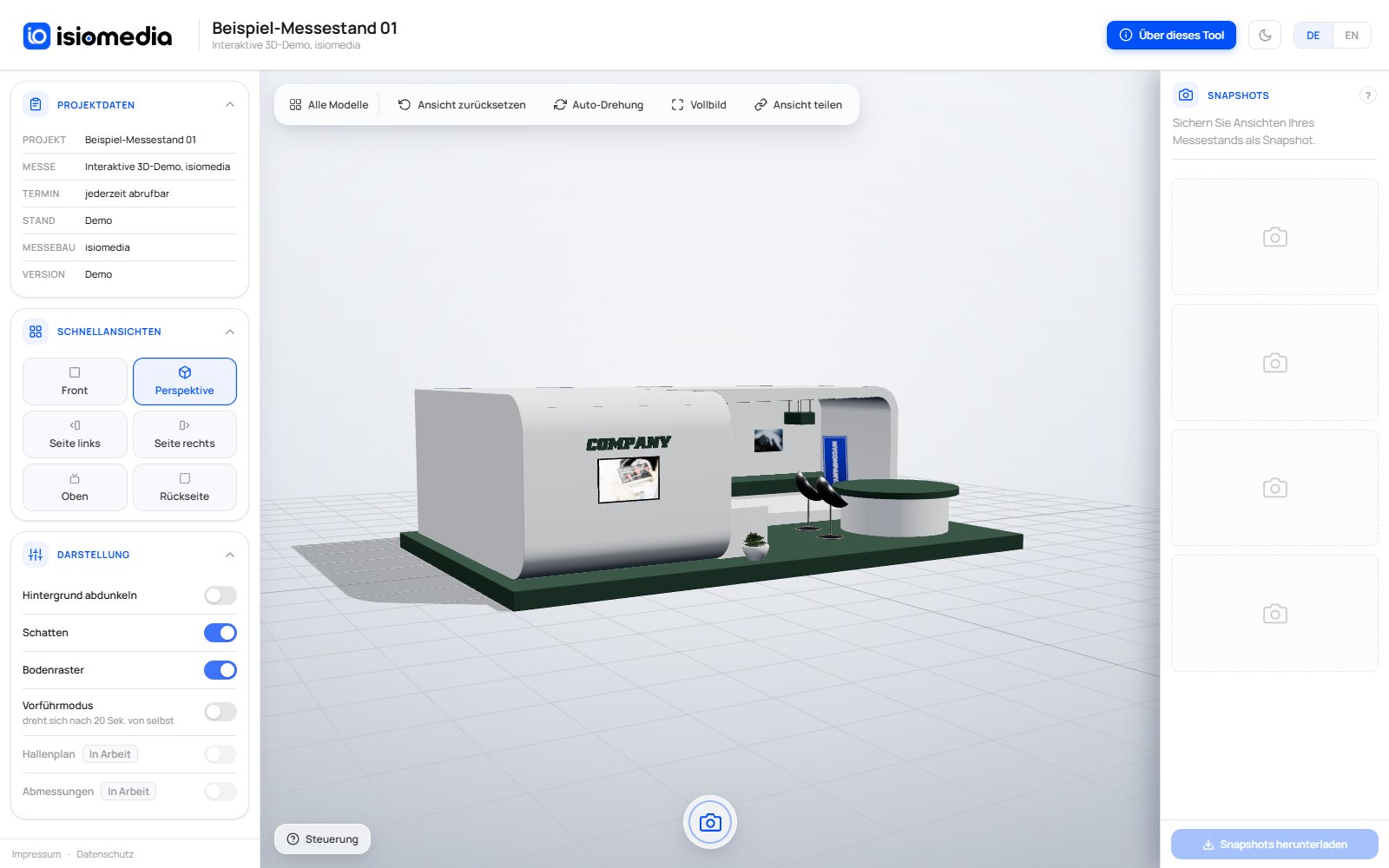
Switch views with one click
Quick views bring the stand into the key perspectives with a single click: front, sides, top, back. Plus free rotating and zooming in real time.
Who the viewer is for
For stand builders and planners
- One link is enough: the customer opens the stand in 3D, no software, no explanation.
- All projects in 3D always at hand: on the road, at the fair, in the customer meeting.
- Sign-offs come faster because everyone looks at the same model.
- A form of presentation that stands out positively from the competition.
For the customer
- Open, view, done: no expertise, no account, no extra software.
- The whole team looks at the same stand and aligns directly.
- 3D model, snapshots and the key views available at any time.
- Decisions come easier once the stand already feels tangible.
Technology and trust
- Password-protected: no public link, no account, no app.
- Runs on every device: Windows, macOS, iOS and Android.
- Bilingual (DE/EN), further languages can be added at any time.
- GDPR-compliant: no external services, no data passed on.
What's already included
- 3D view in real time
- Tool in company colours
- GDPR-compliant
- Password-protected
- Multilingual (DE/EN)
- Quick views
- Full-screen mode
- Presentation mode
- Floor grid
- Print snapshots
- Share a view via link
- Light and dark mode
What the viewer does for you
Sign-offs come faster
Everyone involved looks at the same model and aligns directly, instead of comparing screenshots.
All projects always at hand
Every stand is just one click away: on the road, at the fair and in the customer meeting.
Nothing to install
The customer needs no expertise, no account and no extra software. The browser is enough.
Stands out from the competition
A form of presentation that gets noticed: the stand becomes an experience, not just a picture.
Decisions come easier
The stand feels tangible before it is built. That takes uncertainty out of the process.
Shared safely
Protected access instead of public links. Everyone sees only what is meant for them.
How to get your own viewer
What you see here is a demo with a sample stand. This is how it becomes your own tool:
Discuss the project
You describe how you present stands and what the viewer should do. We come back with a concrete assessment of scope and effort.
Agree functions and branding
Together we define which functions your viewer needs and how it appears: with your logo, your colours and your stands.
Your viewer goes live
You receive your own tool, fully set up: embedded on your website or as a protected link for customers, sales and team.
Want to see the viewer with your own stands?
Which configuration makes sense is best worked out together. Send us a message and we will come back with a concrete assessment.